

If you’re planning to start an import or export business in India, the first mandatory requirement is getting an import export license, also known as the IEC (Import Export Code) issued by the DGFT. Many new exporters get confused about the exact documents needed, the registration process, cost involved, and how long it takes.
This complete guide simplifies everything for you. Below, you’ll find a clear import export license documents list, a step-by-step application process, and expert tips to avoid mistakes. Whether you’re an individual or a company, this 1500-word guide will help you apply for your IEC smoothly.
What is an Import Export License (IEC)?
An Import Export License, commonly called IEC, is a 10-digit code issued by the Directorate General of Foreign Trade (DGFT). It allows individuals and businesses to import goods into India and export goods to international markets.
Without an IEC, you cannot clear customs, receive international payments, or apply for export benefits. The IEC is mandatory for manufacturers, traders, e-commerce exporters, Amazon sellers, and any business dealing in global trade. The code is issued digitally and does not require any physical copy.
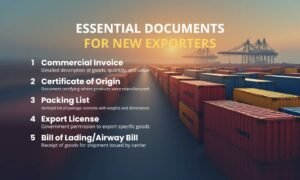
Import Export License Documents List
 trademark registration" width="850" height="510" />
The required documents vary slightly depending on the type of applicant: individual, partnership firm, or company. Here is a clean, table-based breakdown for better clarity.
Documents for Individuals / Sole Proprietors
| Document | Description |
| PAN Card | Personal PAN is mandatory for IEC registration |
| Aadhaar Card | Identity verification |
| Address Proof | Electricity bill, rent agreement, or any valid proof |
| Bank Certificate or Cancelled Cheque | Must match PAN details |
| Email & Mobile Number | Used for OTP verification during application |
Documents for Partnership Firms
| Document | Description |
| Firm PAN | Registered PAN of the partnership firm |
| Partnership Deed | Proof of partnership business structure |
| Partner KYC | Aadhaar/PAN |
| Address Proof of Firm | Utility bill or rental agreement |
| Bank Certificate / Cancelled Cheque | Must be in name of the firm |
Documents for Private Limited / LLP Companies
| Document | Description |
| Company PAN | Mandatory for all companies |
| Certificate of Incorporation | Issued by MCA |
| MOA & AOA or LLP Agreement | For company verification |
| Board Resolution | Authorization to apply IEC |
| Director KYC | Aadhaar & PAN |
| Address Proof | Utility bill / rental agreement |
| Bank Certificate / Cancelled Cheque | Must match company name |
Additional Optional Documents
Optional but helpful:
- GST Certificate
- Rent Agreement (if office is rented)
- Telephone/Electricity Bill
- Passport (optional KYC proof)
This is the complete import export license documents list required for most businesses.
Import Export License Registration Process (Step-by-Step)
Registering for IEC is 100% online and can be completed in 10–15 minutes if documents are ready. Follow this simplified process:
Step 1: Visit the DGFT Website
Open the official portal and click on “Apply for IEC”.
Step 2: Create a New DGFT Account
Register with your email and mobile number. OTP verification is required.
Step 3: Login to the Dashboard
Choose “IEC Application” from the services menu.
Step 4: Enter Basic Business Details
PAN, business name, business type, and address.
Step 5: Enter Bank Information
Upload a bank certificate or cancel cheque matching your business name.
Step 6: Upload Required Documents
Scan and upload in JPG or PDF format.
Step 7: Pay the Application Fee
DGFT fee is ₹500 (subject to periodic updates).
Step 8: Final Review and Submission
Check all details carefully and submit.
Step 9: Receive IEC Certificate
Your IEC is emailed instantly or within 1 working day.
How to Apply for Import Export License Online (Practical Tips)
To avoid errors during your application:
- Use Google Chrome for smoother portal performance
- Keep documents under 200 KB size
- Make sure bank details match the PAN name
- Avoid using someone else’s mobile number for OTP
- Double-check the email ID before final submission
If the portal fails to upload documents, clear your cache or retry after some time.
Import Export License Cost (Updated for 2025)
Here is the simple cost breakdown:
- DGFT Application Fee: ₹500
- Digital Signature (optional): ₹600–₹1500
- Professional/Agent Fees (optional): ₹499–₹1500
- Total Estimated Cost: ₹500 to ₹2500 (depending on requirements)
No hidden or additional fees are required.
Import Export License Time Period (Processing Time)
The DGFT issues IEC quickly because the entire process is automated.
- Normal Processing Time: 24 to 48 hours
- Instant Approval: In some cases, IEC is issued immediately after payment
- Delay Reasons:
- Incorrect documents
- KYC mismatch
- Bank details mismatch
- Server errors
Most applicants receive their IEC within 1 day.
Benefits of Having an Import Export License
Getting an IEC opens up a world of opportunities:
- Eligibility to legally import & export goods
- Build business globally
- Access to international buyers
- Claim government export incentives
- Easy customs clearance
- No renewal required — IEC is lifelong valid
- Required for Amazon Global, eBay, and international trading platforms
Common Mistakes New Exporters Make
New applicants often make errors that delay IEC approval. Avoid these:
- Uploading unclear documents
- Entering wrong business type
- Giving incorrect bank details
- Using phone numbers not linked to the applicant
- Not updating IEC after business address change
- Using outdated documents
Always cross-check KYC information before submitting.
How to Check Import Export License Status
You can track your IEC status easily via DGFT:
Method 1: Check via PAN
- Go to “Check IEC Status” on DGFT portal
- Enter your PAN
- The system shows whether IEC is issued or pending
Method 2: Application Status
- Login → Track application status
- View corrections required, if any
Email & SMS Alerts
DGFT also sends progress updates to registered email & mobile.
Import Export License Corrections & Modifications
If you need to update or correct details:
- Visit DGFT website
- Choose “Update IEC”
- Make required changes
- Upload supporting documents
- Submit form
Corrections may include:
- Address change
- Email/phone number change
- Adding/removing branches
- Ownership change
Usually updated within 48 hours.
Apply for an import/export licence
FAQs (Frequently Asked Questions)
1. Is IEC mandatory for import and export?
Yes, except for certain personal use or government exemptions.
2. Who can apply for an Import Export License?
Individuals, proprietors, firms, companies, and LLPs.
3. How many documents are needed for IEC?
Typically 4–6 basic documents depending on business type.
4. What is the cost of an import export license?
The DGFT fee is ₹500. Additional costs depend on agents or DSC.
5. How long does it take to get IEC?
Usually within 1 day.
6. Do I need GST to apply for IEC?
No, GST is optional.
7. Is a physical copy of IEC required?
No, IEC is issued digitally.
8. Can I modify my IEC later?
Yes, through DGFT’s “Update IEC” service.
9. Is IEC valid for life?
Yes, no renewal needed.
10. Can someone else apply on my behalf?
Yes, a consultant or CA can apply with proper authorization.
Conclusion
Applying for an Import Export License is simple, fast, and fully online. With the right documents, most businesses get approved within 24 hours. Having an IEC allows you to expand globally, export goods, and access international opportunities. Follow the step-by-step process in this guide, avoid common mistakes, and you’ll be ready to begin your import-export journey smoothly.
Need Help with Trademark Registration?
Suntew Business Solutions — Mangalore & Bangalore. 16+ years, 500+ businesses.


